Steps to Rent an Apartment
1. View Properties
Browse our listings here.
👉 Be sure to check out the photos and videos!
2. Schedule a Showing
Call 614-600-2025 or email cbusbestrentals@gmail.com to arrange a viewing.
3. Apply to Rent a Unit
a. Submit an online application here.
b. Email legible, color copies of two photo IDs (a state license and school ID preferred) to cbusbestrentals@gmail.com.
c. Pay the $25 application fee via Credit Card or PayPal by clicking the Pay Now button.
4. Receive Approval
Applications are reviewed within 1–2 business days, and future residents are notified.
5. Receive & Review Lease
Once approved, we will send you a link to review and sign your lease.
6. Sign Lease
Leases are signed electronically via DocuSign, making it quick and convenient from any computer or mobile device.
7. Submit Security Deposit
Pay your security deposit at Rent Payment at the time of lease signing to hold your unit.
8. Return Guaranty to Lease (within 3 days of signing)
a. Each resident must have a parent or guardian (Guarantor) complete a Guaranty to Lease.
b. The Guarantor must read the signed lease.
c. Print, complete, sign, and notarize the Guaranty to Lease.
d. Submit the notarized Guaranty to Lease and a copy of the Guarantor’s driver’s license to cbusbestrentals@gmail.com.
e. Note: Guarantors are only responsible for a fractional share of the rental and obligations — liability is not joint.
9. Receive Final Lease
Once signed by us, you will receive a fully-executed copy of the lease via DocuSign.
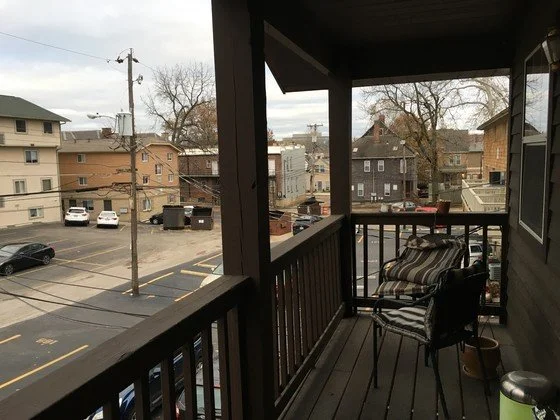
🔔 Note 1: If you decide to rent from us based on the info, photos and videos available online, you are welcome to submit an application prior to viewing a unit in-person. This method is preferred by some students since applications are accepted and reviewed on a “first-come, first-served” basis.
🔔 Note 2: This PayPal link is for submitting application fees only. All security deposits, rent and other fees are paid via Rent Payment.